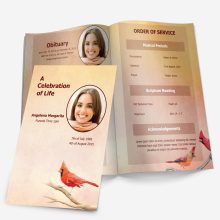
How to Print a Funeral Program Template (At Home or Elsewhere)

Once you’ve finished editing your funeral program template, it’s time to print. Below are simple instructions and helpful tips to ensure your memorial program looks beautiful and prints correctly — whether at home or a print shop.


🖨️ How to Print Your Memorial Program

  1. Open the file in Microsoft Word.

  2. Click File > Print.

  3. Be sure to change the layout orientation to “Landscape” if your template uses that format.

  4. Select your printer and click Print.

💡 Tip: Always print one test copy first before printing in bulk.


📄 What Paper Should I Use?

For a polished, professional look, we recommend:

  • Semi-gloss paper

  • Gloss photo paper

  • 32 lb. white paper for a high-quality matte feel

Avoid regular thin copy paper, as it may appear dull or flimsy.


🚫 Trouble Printing Borderless?

Not all home printers support borderless printing. If your design is getting cut off or shrunk:

  • Save the file to a USB or email it to yourself

  • Visit a local print shop (like Staples, Office Depot, or FedEx Office)

  • Ask them to print using borderless settings on premium paper


🔁 Can I Print on Another Computer or Printer?

Yes. Your template file is fully portable. You can:

  • Transfer it via USB

  • Email it to yourself or a friend

  • Upload to a cloud drive and open it on another computer

There are no printing limits — you may print as many copies as needed for the service or keepsakes.


🔧 Having Trouble?

If you’re running into formatting or printing issues, we also offer a Customization Service where we’ll format the entire program for you and deliver it print-ready — so all you have to do is click Print.

How to Edit Your Funeral Program Template in Microsoft Word

Editing your funeral program should be simple — even if you’re not familiar with Microsoft Word. Below are step-by-step instructions for inserting, moving, and resizing photos inside your funeral program template.


📷 How to Insert a Picture

  1. Click on the picture frame in the template to select it.

  2. Right-click the frame and choose Format AutoShape.

  3. Select the “Colors and Lines” tab.

  4. Click Fill Effects, then the “Picture” tab.

  5. Choose your image from your device and click OK.

💡 Tip: Make sure you’ve clicked “Enable Editing” at the top of Microsoft Word, or you won’t be able to make changes.


🔄 How to Move the Picture

  • Hover your mouse over the edge of the image until you see a four-directional cross icon.

  • Click and hold, then drag the image to where you want it placed.


🔍 How to Resize the Picture

  • Hover over the corner of the image until you see two arrows pointing diagonally.

  • Click and drag inward to make the image smaller.

  • Drag outward to make it larger.

✅ Always use the corners to resize — this keeps the proportions from stretching or distorting.


📌 Final Notes:

  • You can repeat these steps for any section of the program that includes a photo.

  • Want to skip editing altogether? You can also request our Customization Service — we’ll insert your content and deliver a polished, print-ready file the same day.

How to Order, Download, and Customize a Funeral Program Template

Planning a funeral is never easy, which is why we’ve made ordering and downloading our funeral program templates as simple and stress-free as possible. Below, you’ll find answers to the most common questions:


🛒 How Do I Order a Funeral Program Template?

  1. Click “Add to Cart” on the product page of your chosen template.

  2. On desktop, the cart appears in the top-right corner. On mobile, it’s centered at the top.

  3. You can continue browsing or proceed to secure checkout via PayPal or Credit Card.

    You do not need a PayPal account to complete your purchase.


📩 How Do I Download My Template?

As soon as your purchase is complete, your funeral program template will be automatically emailed to you.

  • Check your inbox and be sure to also check your spam/junk folder just in case.

  • The file is delivered as a Microsoft Word (.docx) or compatible format, ready for you to open and edit.


🖊️ What Is the Customization Service?

If you’re short on time or not comfortable editing files, let us handle it for you.
With our Customization Service, we’ll professionally complete the funeral program for you — personalized and print-ready.

Just send us:

  • A photo of your loved one

  • Key details like service time, obituary, poems, quotes, etc.

We’ll deliver your finalized file within 2 hours or less (unless ordered in the early morning). You can print it at home or at any office supply store.

📌 Same-day delivery guaranteed, or it’s free — just order by 9 PM (EST).

Note: You’ll receive the blank template instantly by email right after checkout — this is automatic. Your customized version will arrive separately once it’s completed.